
How to Download & Share Your Wedding Content
Wedding Photos (Pic-Time)
- Open the link to your gallery.
- Select the 3 lines in the top-right corner, then select download full gallery.
- Click Download to Mobile, then click on the zip file
- The .zip folder will be downloaded to your Files app, which you can extract into your Photo library. You may be able to click the download link directly from the browser to open the .zip folder.
Wedding Video (website)
- Open your video link
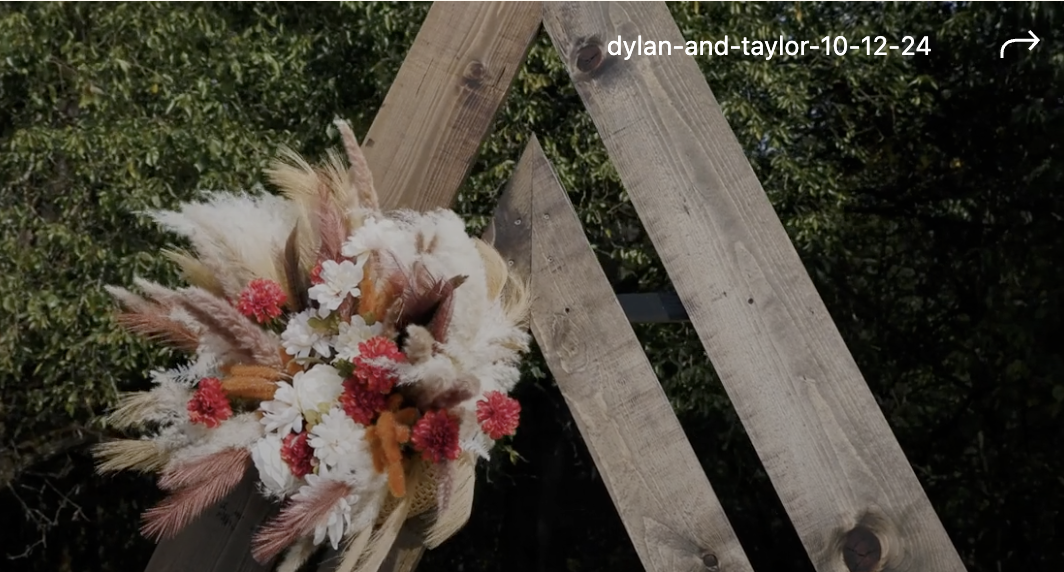
- Select the arrow on the top-right of your video
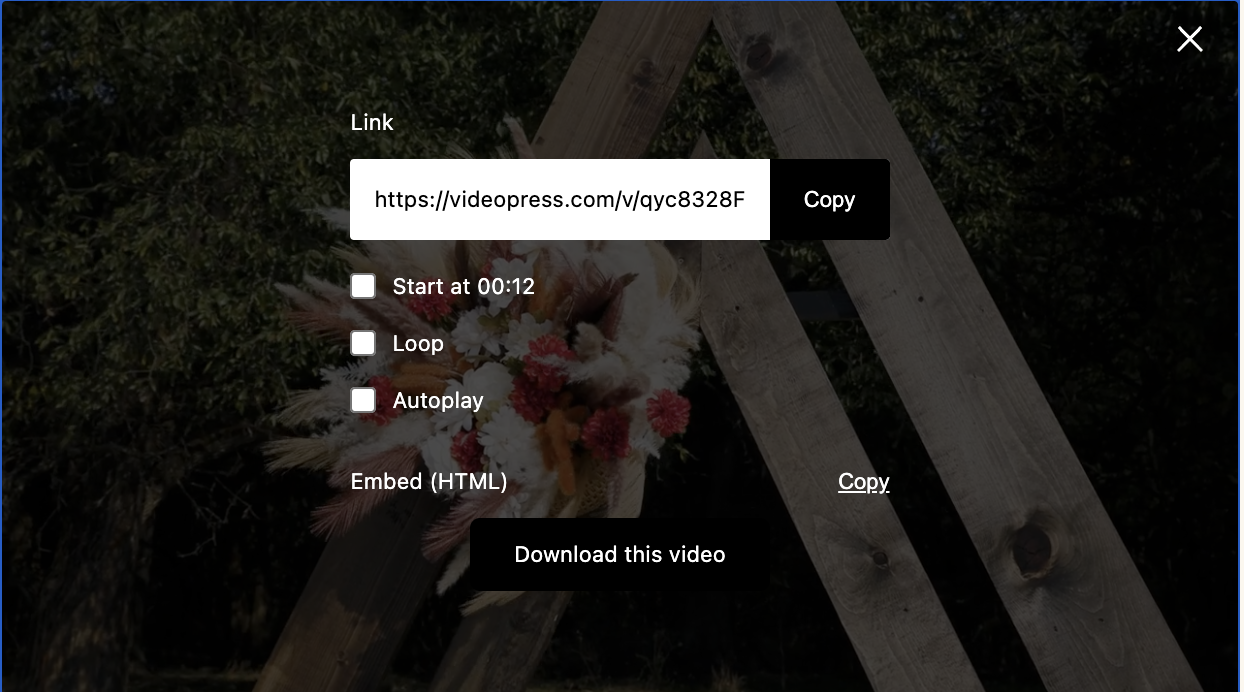
- Select Download this video
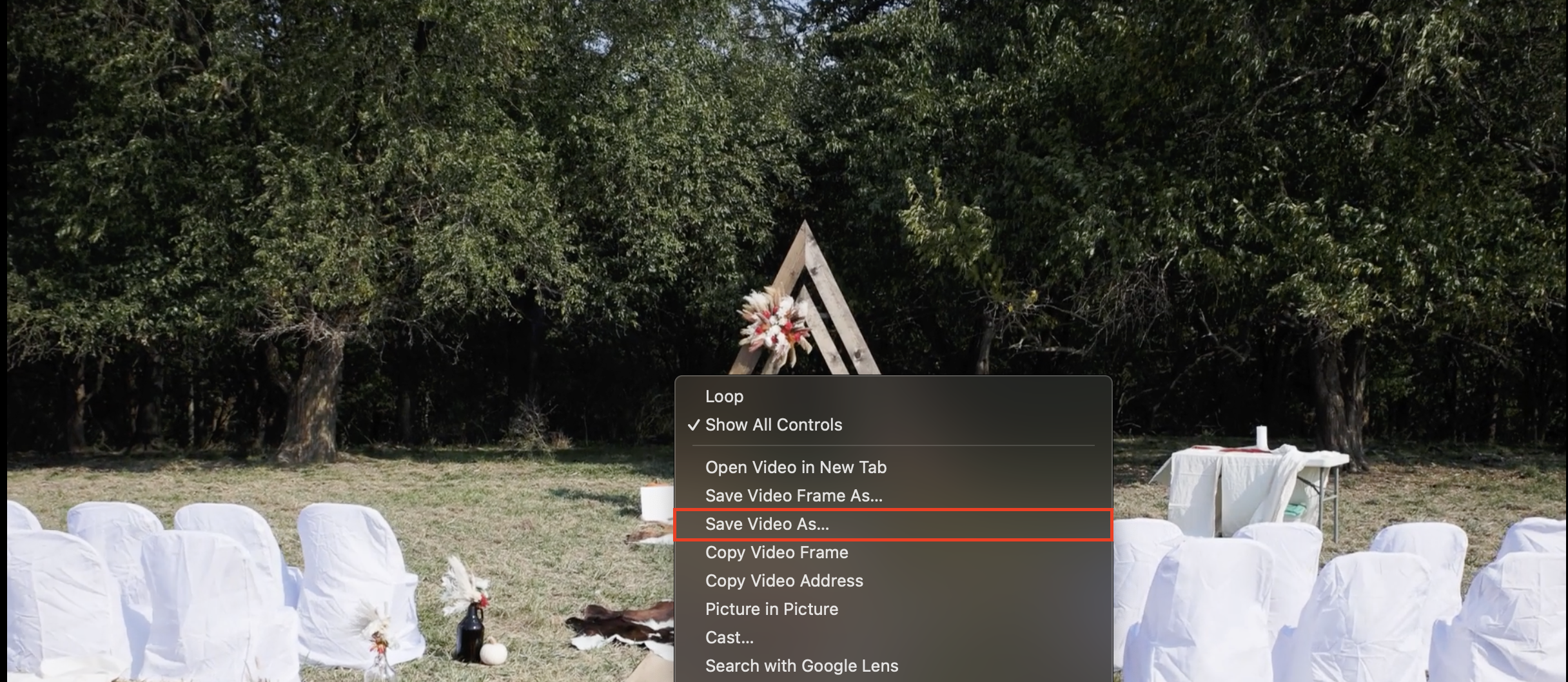
- Right-click on the new video player and select Save Video As…
Wedding Video (mobile)
- Open your video link
- Select the arrow on the top-right of your video
- Select Download this video
- Tap on the share icon
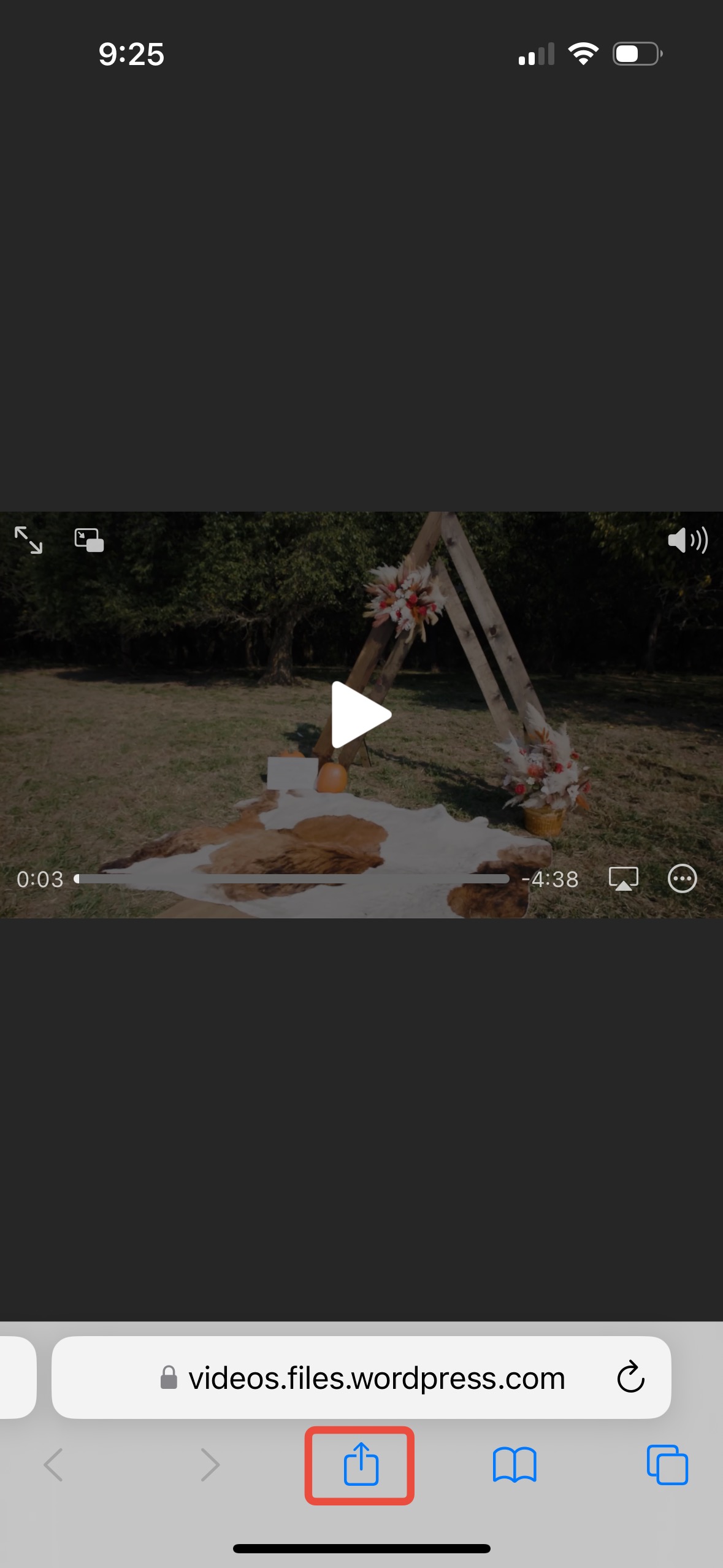
- Tap Save to Files and save in the Downloads folder
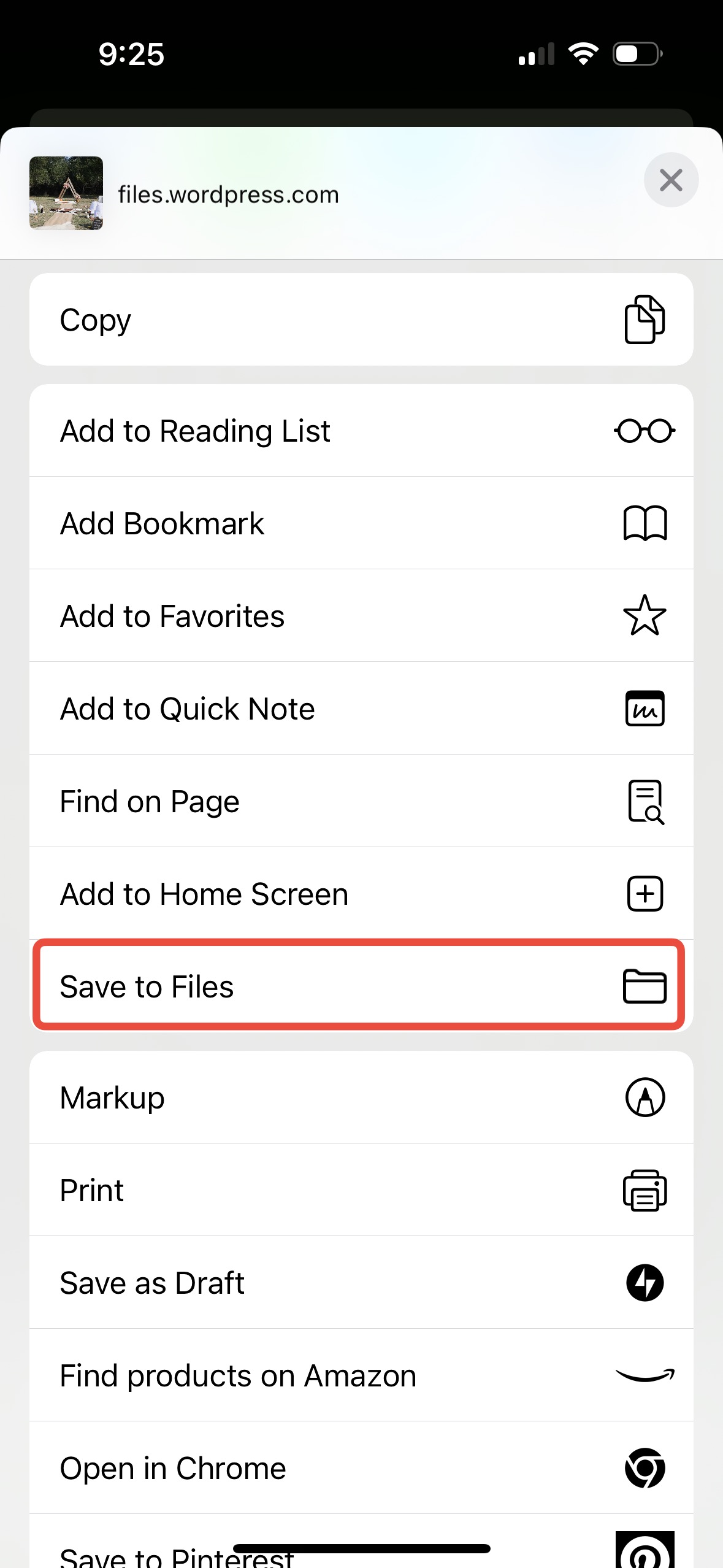
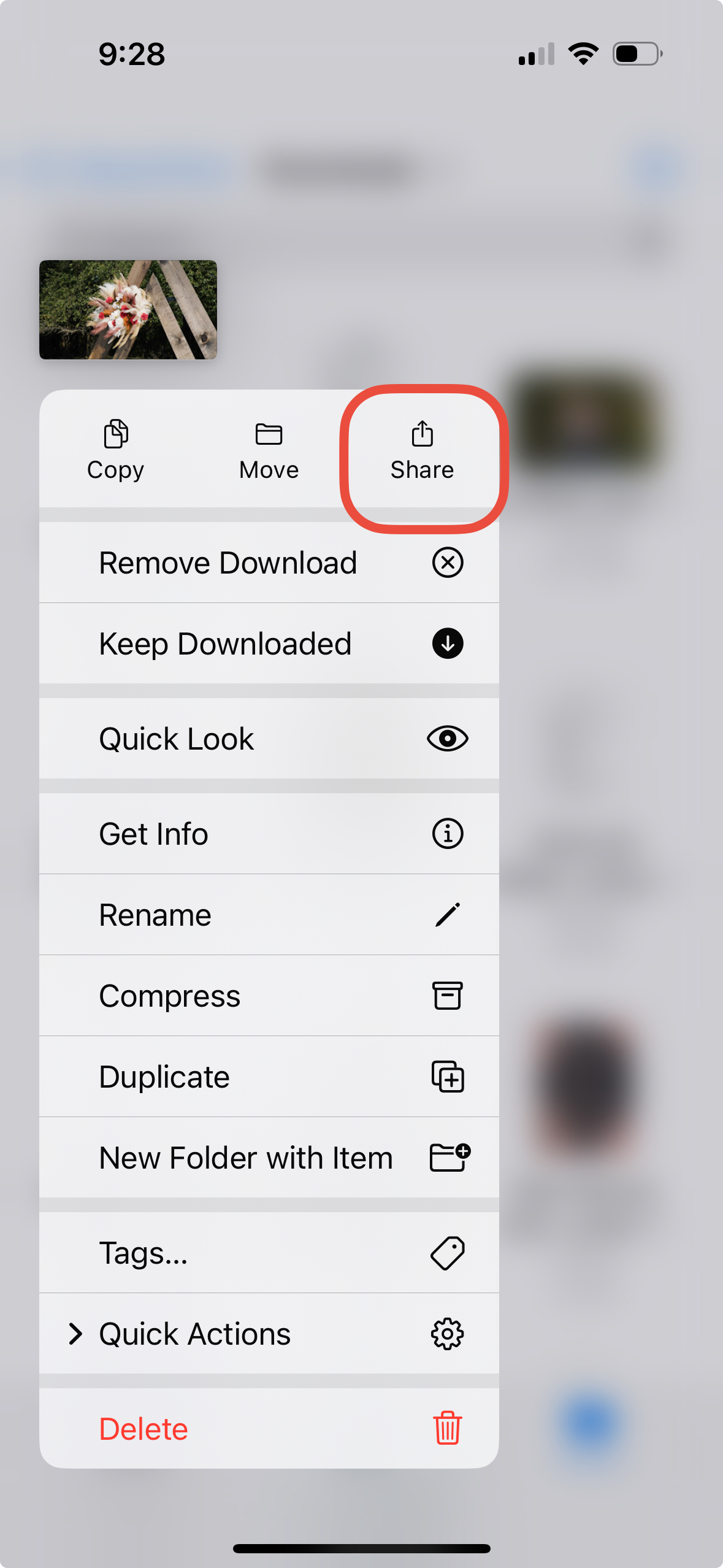
- Open the Files app on iPhone and go to the Downloads folder
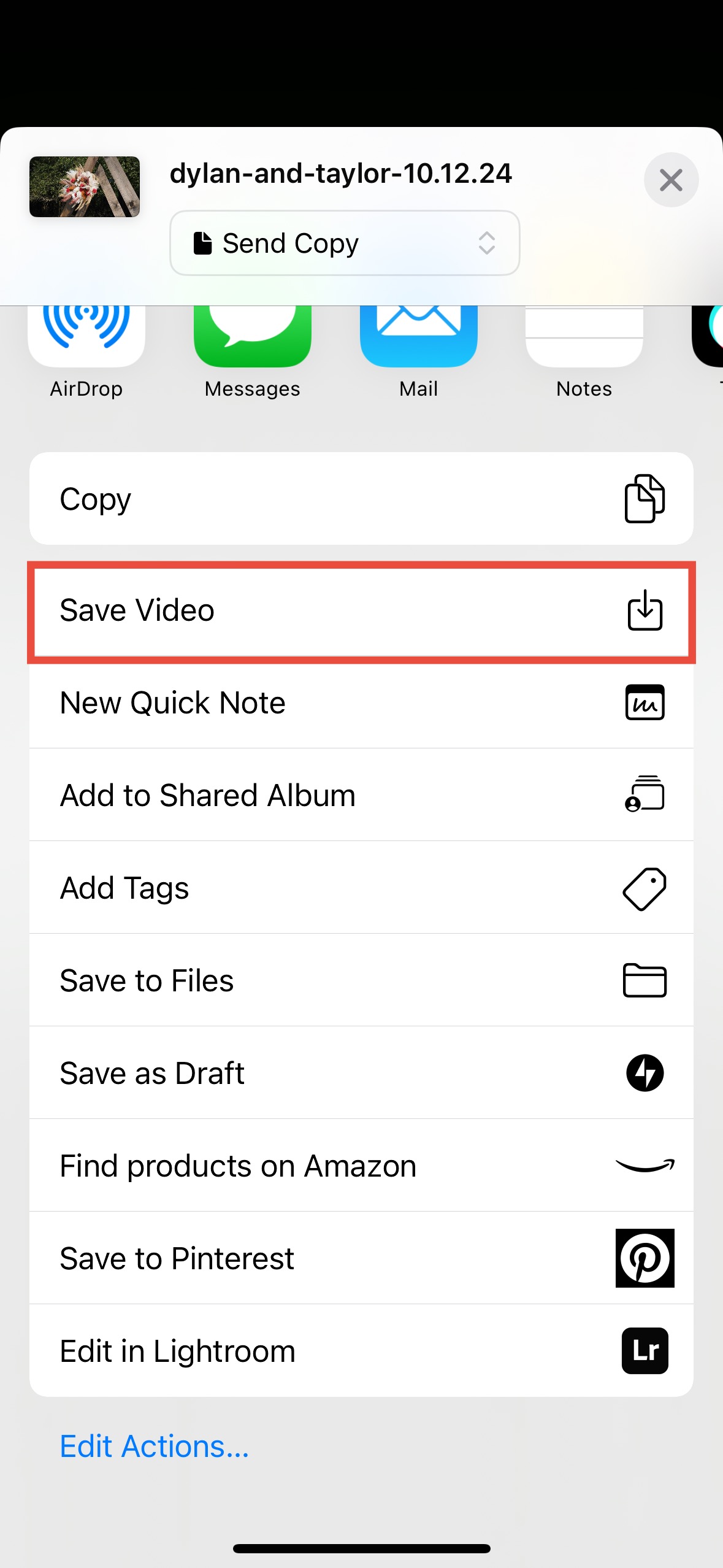
- Tap and hold on your video until a menu appears then select Share
- Finally, select Save Video and the video should appear in your camera roll
Sharing and Leaving a Review
Thank you so much for choosing Justin Bailey Media for your wedding photo/video needs!
We’d love if you could share and tag us on Facebook and Instagram
If you loved your services a review would help us out! Leave us a Google review here or go to our Facebook and leave a review there!
 Justin Bailey Media